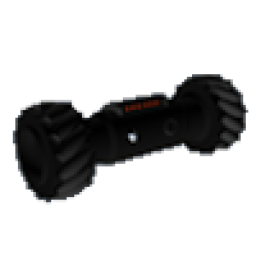
Tactical Police Throwbot
Resource folder:
gs_throwbot
Installation Instructions for Tactical Police Throwbot
Follow these steps to install and configure
gs_throwbot on your FiveM server.
-
Download the Resource
- Go to portal.cfx.re
-
Navigate to Assets > Granted Assets >
gs_throwbot - Download the resource
-
Extract the Files
-
Open the downloaded
.zipfile -
Inside, you'll find a folder named
gs_throwbot -
Move the entire
gs_throwbotfolder into your desired server resources folder (e.g.,/resources/[scripts])
-
Open the downloaded
-
Add to Server Configuration
- Open your
server.cfg -
Add the following line:
ensure gs_throwbot
- Open your
-
Restart the Server
- Restart your FiveM server (Important!)
-
Configure the Script (Optional)
- Navigate to
gs_throwbot/config.lua - Edit the configuration options to fit your server's needs
- Navigate to
Additional documentation
To use the in-HUD screenshot button, install:
Add the following items to your ox_inventory/data/items.lua
file:
['throwbot'] = {
    label = 'Throwbot',
    weight = 500,
    server = {
        export = 'gs_throwbot.throwbot',
    },
},
Execute the following SQL query to add the items to the database:
INSERT INTO
	`items` (`name`, `label`, `weight`, `rare`, `can_remove`)
VALUES
	('throwbot', 'Throwbot', 1, 0, 1);
Add the following items to your qb-core/shared/items.lua
file:
['throwbot'] = {
    ['name'] = 'throwbot',
    ['label'] = 'Throwbot',
    ['weight'] = 500,
    ['type'] = 'item',
    ['image'] = 'throwbot.png',
    ['unique'] = false,
    ['useable'] = true,
    ['shouldClose'] = true,
    ['combinable'] = nil,
},
What does the throwbot do?
Players throw a small remote camera bot to scout an area. After deployment they can drive it within a configured range, then pick it up and redeploy later. It is meant for tactical scouting, not permanent surveillance.
The throwbot prop does not appear
Make sure the throwbot model or prop resource is started and not blocked by another script. Check your server console for model or spawn errors when a player tries to deploy.
How do I change range, speed, or recharge time?
All of these are set in config.lua. Common settings include recharge time, pickup range, visual effects, timecycle, and drive physics. Restart the resource after changing config.
Can I turn off the visual effect?
Yes. Use Config.showEffect in config to control whether a visible effect plays during use. This is useful if you want a more subtle tactical tool.
The bot cannot be picked up
Increase Config.pickupRange if players struggle to retrieve it. Also confirm they are close enough and no other script is blocking interaction near the prop.
Does this require a framework?
The throwbot is generally standalone. Framework-specific setup is only needed if you tie deployment to jobs, items, or custom notifications through the bridge files.