Deployable Metal Detectors
Resource folder:
gs_metaldetector
Features and pricing are on the Deployable Metal Detectors product page. Related resources are on the FiveM police scripts page.
Installation Instructions for Deployable Metal Detectors
Follow these steps to install and configure
gs_metaldetector on your FiveM server.
-
Download the Resource
- Go to portal.cfx.re
-
Navigate to Assets > Granted Assets >
gs_metaldetector - Download the resource
-
Extract the Files
-
Open the downloaded
.zipfile -
Inside, you'll find a folder named
gs_metaldetector -
Move the entire
gs_metaldetectorfolder into your desired server resources folder (e.g.,/resources/[scripts])
-
Open the downloaded
-
Add to Server Configuration
- Open your
server.cfg -
Add the following line:
ensure gs_metaldetector
- Open your
-
Restart the Server
- Restart your FiveM server (Important!)
-
Configure the Script (Optional)
- Navigate to
gs_metaldetector/config.lua - Edit the configuration options to fit your server's needs
- Navigate to
Additional documentation
Saving placed metal detectors to the database
To persist placed metal detectors across server restarts:
- Set
Config.SavePlacedDetectorsToDatabase = trueinconfig.lua. - Run
insert.sqlto create thegs_metal_detectorstable. - In
fxmanifest.lua, uncomment'@oxmysql/lib/MySQL.lua'in theserver_scriptssection.
Placed detectors are then stored (x, y, z, heading) and respawned on resource start. Removing a detector via the target option also removes it from the database.
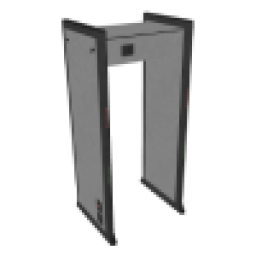
Add the following items to your ox_inventory/data/items.lua
file:
['metaldetector'] = {
    label = 'Metal Detector',
    weight = 5000,
    server = {
        export = 'gs_metaldetector.metaldetector',
    },
},
Execute the following SQL query to add the items to the database:
INSERT INTO
	`items` (`name`, `label`, `weight`, `rare`, `can_remove`)
VALUES
	('metaldetector', 'Metal Detector', 5, 0, 1);
Add the following items to your qb-core/shared/items.lua
file:
['metaldetector'] = {
    ['name'] = 'metaldetector',
    ['label'] = 'Metal Detector',
    ['weight'] = 5000,
    ['type'] = 'item',
    ['image'] = 'metaldetector.png',
    ['unique'] = false,
    ['useable'] = true,
    ['shouldClose'] = true,
    ['combinable'] = nil,
},
What does the metal detector script do?
Players can place metal detector props by command or usable item. When someone walks through, the detector can flag metal items in their inventory depending on your settings. Detectors can optionally be saved to the database and respawn after restart.
How do players place a detector?
Use Config.CommandName for a chat command, or set Config.UsableItemName to an inventory item that starts placement. At least one of these must be enabled.
Who can place and remove detectors?
Set Config.AllowedJobs to restrict placement to specific jobs such as police. Set it to an empty table or nil to allow everyone. Allowed jobs also skip metal removal when they walk through their own detectors.
Detectors do not save after a server restart
Set Config.SavePlacedDetectorsToDatabase to true, run the provided SQL file, and enable oxmysql in fxmanifest.lua. Restart the server after those steps.
The usable item does nothing
Make sure Config.UsableItemName matches your inventory item exactly and that the item is registered in your inventory framework. If the config value is nil, item-based placement is disabled.
How do I remove a placed detector?
Use Config.DeleteClosestCommand within Config.DeleteClosestMaxDistance metres of the detector. Only allowed jobs can use the delete command when job restrictions are enabled.
The detector triggers too often or not at all
Tune Config.Detector.DetectionRange, CheckInterval, and DetectionCooldownMs. Increase range or lower cooldown for more sensitivity. Increase cooldown to reduce repeat triggers.
Does walking through remove weapons from players?
Only if Config.RemoveMetalItemsOnDetection is true. When enabled, items listed in Config.MetalItems are removed on trigger. Keep this false if you only want an alarm without confiscation.
Can I place permanent detectors at fixed map locations?
Yes. Add entries to Config.FixedDetectors with world coordinates. These spawn prop-less detection zones at those positions.
I do not hear the alarm sound
Check Config.DetectorSound.Enabled and confirm the sound name and set are valid for your game build. Other resources playing sounds at the same time can sometimes mask the alarm.
Does this work with ox_target?
Yes. Placed detectors register target options for removal using the label in Config.Target.