Police & Crime Scene Tape
Resource folder:
gs_tape
Features and pricing are on the Police & Crime Scene Tape product page. Related resources are on the FiveM police scripts page.
Installation Instructions for Police & Crime Scene Tape
Follow these steps to install and configure
gs_tape on your FiveM server.
-
Download the Resource
- Go to portal.cfx.re
-
Navigate to Assets > Granted Assets >
gs_tape - Download the resource
-
Extract the Files
-
Open the downloaded
.zipfile -
Inside, you'll find a folder named
gs_tape -
Move the entire
gs_tapefolder into your desired server resources folder (e.g.,/resources/[scripts])
-
Open the downloaded
-
Add to Server Configuration
- Open your
server.cfg -
Add the following line:
ensure gs_tape
- Open your
-
Restart the Server
- Restart your FiveM server (Important!)
-
Configure the Script (Optional)
- Navigate to
gs_tape/config.lua - Edit the configuration options to fit your server's needs
- Navigate to


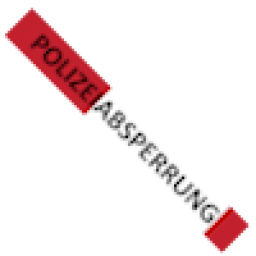
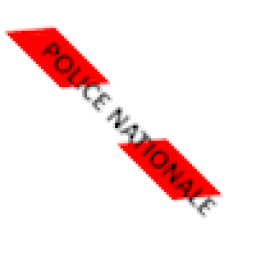
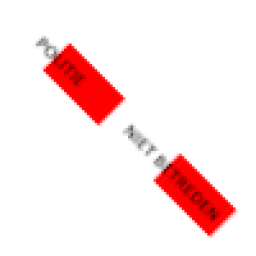




Add the following items to your ox_inventory/data/items.lua
file:
['Police Tape (USA)'] = {
    label = 'tape_usa',
    weight = 100,
    server = {
        export = 'gs_tape.Police Tape (USA)',
    },
},
['Police Tape (UK)'] = {
    label = 'tape_uk',
    weight = 100,
    server = {
        export = 'gs_tape.Police Tape (UK)',
    },
},
['Police Tape (Germany)'] = {
    label = 'tape_de',
    weight = 100,
    server = {
        export = 'gs_tape.Police Tape (Germany)',
    },
},
['Police Tape (France)'] = {
    label = 'tape_fr',
    weight = 100,
    server = {
        export = 'gs_tape.Police Tape (France)',
    },
},
['Police Tape (Netherlands)'] = {
    label = 'tape_nl',
    weight = 100,
    server = {
        export = 'gs_tape.Police Tape (Netherlands)',
    },
},
['Police Tape (Australia)'] = {
    label = 'tape_aus',
    weight = 100,
    server = {
        export = 'gs_tape.Police Tape (Australia)',
    },
},
['Police Tape (Poland)'] = {
    label = 'tape_pol',
    weight = 100,
    server = {
        export = 'gs_tape.Police Tape (Poland)',
    },
},
['Police Tape (Spain)'] = {
    label = 'tape_sp',
    weight = 100,
    server = {
        export = 'gs_tape.Police Tape (Spain)',
    },
},
['Police Tape (General)'] = {
    label = 'tape_general',
    weight = 100,
    server = {
        export = 'gs_tape.Police Tape (General)',
    },
},
Execute the following SQL query to add the items to the database:
INSERT INTO
	`items` (`name`, `label`, `weight`, `rare`, `can_remove`)
VALUES
	('Police Tape (USA)', 'tape_usa', 0, 0, 1);

INSERT INTO
	`items` (`name`, `label`, `weight`, `rare`, `can_remove`)
VALUES
	('Police Tape (UK)', 'tape_uk', 0, 0, 1);

INSERT INTO
	`items` (`name`, `label`, `weight`, `rare`, `can_remove`)
VALUES
	('Police Tape (Germany)', 'tape_de', 0, 0, 1);

INSERT INTO
	`items` (`name`, `label`, `weight`, `rare`, `can_remove`)
VALUES
	('Police Tape (France)', 'tape_fr', 0, 0, 1);

INSERT INTO
	`items` (`name`, `label`, `weight`, `rare`, `can_remove`)
VALUES
	('Police Tape (Netherlands)', 'tape_nl', 0, 0, 1);

INSERT INTO
	`items` (`name`, `label`, `weight`, `rare`, `can_remove`)
VALUES
	('Police Tape (Australia)', 'tape_aus', 0, 0, 1);

INSERT INTO
	`items` (`name`, `label`, `weight`, `rare`, `can_remove`)
VALUES
	('Police Tape (Poland)', 'tape_pol', 0, 0, 1);

INSERT INTO
	`items` (`name`, `label`, `weight`, `rare`, `can_remove`)
VALUES
	('Police Tape (Spain)', 'tape_sp', 0, 0, 1);

INSERT INTO
	`items` (`name`, `label`, `weight`, `rare`, `can_remove`)
VALUES
	('Police Tape (General)', 'tape_general', 0, 0, 1);
Add the following items to your qb-core/shared/items.lua
file:
['Police Tape (USA)'] = {
    ['name'] = 'Police Tape (USA)',
    ['label'] = 'tape_usa',
    ['weight'] = 100,
    ['type'] = 'item',
    ['image'] = 'Police Tape (USA).png',
    ['unique'] = false,
    ['useable'] = true,
    ['shouldClose'] = true,
    ['combinable'] = nil,
},
['Police Tape (UK)'] = {
    ['name'] = 'Police Tape (UK)',
    ['label'] = 'tape_uk',
    ['weight'] = 100,
    ['type'] = 'item',
    ['image'] = 'Police Tape (UK).png',
    ['unique'] = false,
    ['useable'] = true,
    ['shouldClose'] = true,
    ['combinable'] = nil,
},
['Police Tape (Germany)'] = {
    ['name'] = 'Police Tape (Germany)',
    ['label'] = 'tape_de',
    ['weight'] = 100,
    ['type'] = 'item',
    ['image'] = 'Police Tape (Germany).png',
    ['unique'] = false,
    ['useable'] = true,
    ['shouldClose'] = true,
    ['combinable'] = nil,
},
['Police Tape (France)'] = {
    ['name'] = 'Police Tape (France)',
    ['label'] = 'tape_fr',
    ['weight'] = 100,
    ['type'] = 'item',
    ['image'] = 'Police Tape (France).png',
    ['unique'] = false,
    ['useable'] = true,
    ['shouldClose'] = true,
    ['combinable'] = nil,
},
['Police Tape (Netherlands)'] = {
    ['name'] = 'Police Tape (Netherlands)',
    ['label'] = 'tape_nl',
    ['weight'] = 100,
    ['type'] = 'item',
    ['image'] = 'Police Tape (Netherlands).png',
    ['unique'] = false,
    ['useable'] = true,
    ['shouldClose'] = true,
    ['combinable'] = nil,
},
['Police Tape (Australia)'] = {
    ['name'] = 'Police Tape (Australia)',
    ['label'] = 'tape_aus',
    ['weight'] = 100,
    ['type'] = 'item',
    ['image'] = 'Police Tape (Australia).png',
    ['unique'] = false,
    ['useable'] = true,
    ['shouldClose'] = true,
    ['combinable'] = nil,
},
['Police Tape (Poland)'] = {
    ['name'] = 'Police Tape (Poland)',
    ['label'] = 'tape_pol',
    ['weight'] = 100,
    ['type'] = 'item',
    ['image'] = 'Police Tape (Poland).png',
    ['unique'] = false,
    ['useable'] = true,
    ['shouldClose'] = true,
    ['combinable'] = nil,
},
['Police Tape (Spain)'] = {
    ['name'] = 'Police Tape (Spain)',
    ['label'] = 'tape_sp',
    ['weight'] = 100,
    ['type'] = 'item',
    ['image'] = 'Police Tape (Spain).png',
    ['unique'] = false,
    ['useable'] = true,
    ['shouldClose'] = true,
    ['combinable'] = nil,
},
['Police Tape (General)'] = {
    ['name'] = 'Police Tape (General)',
    ['label'] = 'tape_general',
    ['weight'] = 100,
    ['type'] = 'item',
    ['image'] = 'Police Tape (General).png',
    ['unique'] = false,
    ['useable'] = true,
    ['shouldClose'] = true,
    ['combinable'] = nil,
},
Why does the tape command do nothing?
The most common cause is job or item requirements still enabled in config. If your job is not on the allowed list, or you do not have the required inventory item, placement is blocked silently.
For testing, set itemName = nil and allowedJobs = {} on the tape entry you are using. If you want item-based placement, make sure the item exists in your inventory system and matches the name in config.
Can I use this without an inventory system?
Yes. Set itemName = nil and allowedJobs = {} for each tape type you want to use. Players can then place tape with commands without needing items or a framework job check.
Tape props do not appear after running a command
Check that the tape type in your command matches a configured entry (for example tape_usa). Then verify job and item restrictions as above. If you use inventory items, confirm the item is defined and the player actually has it.
Do players need a specific job to place tape?
By default, tape types can be restricted to certain jobs. If only police should use tape, keep allowedJobs set. If anyone should be able to place tape, clear the job list for that tape entry.
Can tape be removed after placement?
Yes. The script supports target-based removal when configured. Make sure your server runs a compatible target system if you rely on that interaction.
Does tape persist after a server restart?
The script supports optional database persistence. If persistence is enabled and working, placed tape can survive restarts. If tape disappears every restart, check whether persistence is turned on and your database connection is healthy.