ESX • QBCore • Qbox compatible
Instant download
Updates included
Discord support
Secure checkout
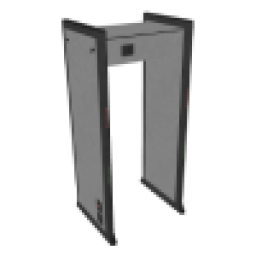
Deployable Metal Detectors
Resource folder:
gs_metaldetectors
Installation Instructions for Deployable Metal Detectors
Follow these steps to install and configure
gs_metaldetectors on your FiveM server.
-
Download the Resource
- Go to portal.cfx.re
-
Navigate to Assets > Granted Assets >
gs_metaldetectors - Download the resource
-
Extract the Files
-
Open the downloaded
.zipfile -
Inside, you'll find a folder named
gs_metaldetectors -
Move the entire
gs_metaldetectorsfolder into your desired server resources folder (e.g.,/resources/[scripts])
-
Open the downloaded
-
Add to Server Configuration
- Open your
server.cfg -
Add the following line:
ensure gs_metaldetectors
- Open your
-
Restart the Server
- Restart your FiveM server (Important!)
-
Configure the Script (Optional)
- Navigate to
gs_metaldetectors/config.lua - Edit the configuration options to fit your server's needs
- Navigate to
Additional documentation
Saving placed metal detectors to the database
To persist placed metal detectors across server restarts:
- Set
Config.SavePlacedDetectorsToDatabase = trueinconfig.lua. - Run
insert.sqlto create thegs_metal_detectorstable. - In
fxmanifest.lua, uncomment'@oxmysql/lib/MySQL.lua'in theserver_scriptssection.
Placed detectors are then stored (x, y, z, heading) and respawned on resource start. Removing a detector via the target option also removes it from the database.
Installation Instructions
Add the following items to your ox_inventory/data/items.lua
file:
['metaldetector'] = {
    label = 'Metal Detector',
    weight = 5000,
    server = {
        export = 'gs_metaldetectors.metaldetector',
    },
},
Execute the following SQL query to add the items to the database:
INSERT INTO
	`items` (`name`, `label`, `weight`, `rare`, `can_remove`)
VALUES
	('metaldetector', 'Metal Detector', 5, 0, 1);
Add the following items to your qb-core/shared/items.lua
file:
['metaldetector'] = {
    ['name'] = 'metaldetector',
    ['label'] = 'Metal Detector',
    ['weight'] = 5000,
    ['type'] = 'item',
    ['image'] = 'metaldetector.png',
    ['unique'] = false,
    ['useable'] = true,
    ['shouldClose'] = true,
    ['combinable'] = nil,
},