FiveM Drone Script: Police & Civilian
FiveM drone script with police and civilian drones, night vision, a custom HUD, damage and signal range. Deploy as inven...
Key Features
Works with ESX • QBCore • Qbox
Available in a bundle!
Save 25% when you purchase this package as part of the Advanced Drone & Vehicle Tracker Dart Bundle.
View bundleWhat's included:
- Full script files
- Configuration files
- Installation documentation
- Lifetime updates
- Discord support
Overview
Bring immersive drone functionality to your FiveM server with this advanced drone system. Ideal for surveillance, tactical ops, or civilian exploration. Featuring smooth controls, a detailed and customizable HUD, damage handling, and ability to take pictures, this script enhances RP for both civilians and law enforcement.
Features
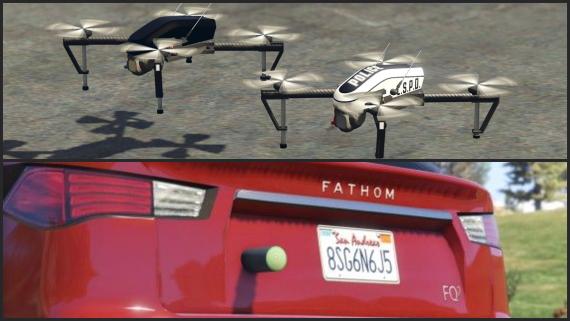
- Multiple Drone Types: Includes standard and police drones with unique ranges, flight time, and features.
- Civilian & Emergency Use: Easily restrict drones to jobs or open them up to all players. Fully configurable.
- Realistic Flight Controls: Custom-mapped controls with smooth throttle, yaw, pitch, roll, and camera movement. Also controller compatible.
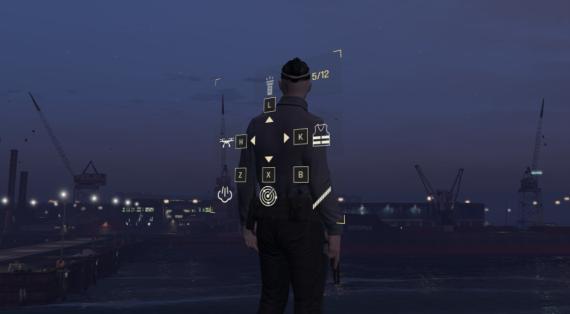
- HUD Customization: Toggle components like compass, battery status, flight data, screenshot button, and more.
- Damage & Signal System: Drones take damage, show effects when hit or out of range, and can crash if misused.
- Night Vision (Emergency Drone): Enhanced capability for nighttime operations.
- Item-Based Usage: Integrates with inventory systems, making drones real in-game items.
- Command-Based Usage: If you don’t want to use items to activate drones, there is also an option to deploy them using commands.
- Optional Screenshot Feature: Take aerial shots in-game with optional screenshot system integration using Fivemanage.
Resmon: Idle: 0.00ms - When flying a drone: 0.08ms
Installation
After purchase, download the resource from portal.cfx.re (Assets > Granted Assets), add it to your server resources folder, and ensure the resource in server.cfg.
Step-by-step setup, configuration, and dependency details are in the install guide for this script.
Configuration
All scripts include easy-to-edit configuration files. Common settings include:
- Language/localization options
- Feature toggles
- Price and economy settings
- Notification preferences
Dependencies
This script requires the following dependencies to function properly:
Make sure to install and start all dependencies before installing this script.
Escrow vs Source: Which Should You Choose?
Escrow (Encrypted)
Best for server owners who want plug-and-play functionality.
- Protected code files
- Easy configuration via config files
- Same features as source version
Source (Unencrypted)
Best for developers who need full customization.
- 100% editable code
- Full customization freedom
- Same features as escrow version
Same features; editability differs.
See more scripts on the FiveM police scripts page.