FiveM Tracker Dart System
Equip FiveM law enforcement with real-time vehicle tracking. Fire darts, view targets via an overlay, and configure job,...
Key Features
Works with ESX • QBCore • Qbox
Available in a bundle!
Save 30% when you purchase this package as part of the Vehicle Tracker Dart & Deployable Light Bundle.
View bundleWhat's included:
- Full script files
- Configuration files
- Installation documentation
- Lifetime updates
- Discord support
Overview
Equip law enforcement with a high-tech tracker dart system for real-time vehicle tracking. This FiveM script is easy to configure, efficient, and enhances tactical gameplay for police and sheriff departments.
Features
- Dart Deployment: Shoot a tracker dart at a vehicle using a configurable keybind.
- Single Dart Mode: Limit tracking to one active dart at a time, ensuring precision and realism.
- Old Dart Management: Automatically destroy the previous dart when deploying a new one.
- Overlay Interface: Open an interactive overlay using a configurable key.
- Job Restrictions: Restrict dart usage to specific jobs like police and sheriff.
- Tracker System Installation: Optionally require players to install a tracking system before deploying darts, using an inventory item.
- Vehicle Restrictions: Limit tracking system installation to specific authorized vehicles.
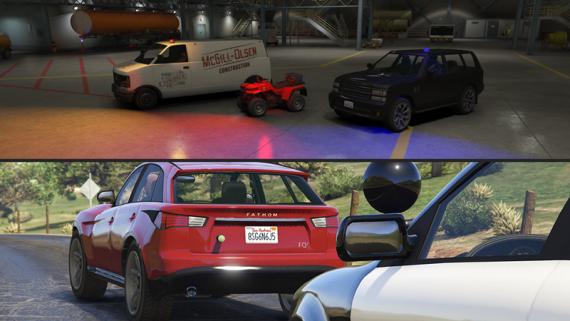
- Dart Capacity: Set the number of darts a vehicle can carry for balanced gameplay.
- Self-Destruct Mechanism: Automatically remove a dart after a configurable duration.
- Blip System: Customizable vehicle blips.
- Optimized Performance: Efficient script with minimal resource consumption.
How It Works
- Install Tracker System: Use the required item to install a tracker system on a vehicle before use.
- Open Overlay: Use the assigned key to toggle the tracking overlay.
- Shoot Dart: Press the configured key to fire a tracker dart at a vehicle.
- Dart Limits: Vehicles can only carry a set number of darts, ensuring balanced tracking.
- Remove Dart: Approach a vehicle and remove an attached dart when necessary.
This system is highly configurable, allowing server owners to tweak settings to fit their needs, from dart behavior to blip customization and more.
Installation
After purchase, download the resource from portal.cfx.re (Assets > Granted Assets), add it to your server resources folder, and ensure the resource in server.cfg.
Step-by-step setup, configuration, and dependency details are in the install guide for this script.
Configuration
All scripts include easy-to-edit configuration files. Common settings include:
- Language/localization options
- Feature toggles
- Price and economy settings
- Notification preferences
Dependencies
This script requires the following dependencies to function properly:
- ox_lib
- Any targetting script (ox_target or qb-target)
Make sure to install and start all dependencies before installing this script.
Escrow vs Source: Which Should You Choose?
Escrow (Encrypted)
Best for server owners who want plug-and-play functionality.
- Protected code files
- Easy configuration via config files
- Same features as source version
Source (Unencrypted)
Best for developers who need full customization.
- 100% editable code
- Full customization freedom
- Same features as escrow version
Same features; editability differs.
See more scripts on the FiveM police scripts page.